Saturday, September 3, 2011

Twitter Tools for your Blackberry


This is some of Twitter Tools for your Blackberry :

Blackbird is one of the text only mobile Twitter tools for BlackBerry smart phones..

OpenBeak is a free application for BlackBerry display of tweets and images. It offers the same features as most popular desktop clients, including a countdown of character.

TweetGenius is a mobile Twitter client with a clean interface. It offers tweeting and photo sharing, along with the Bit.ly URL shortener and a GPS function.

Viigo is now part of RIM. This free app for BlackBerry has 10 modules to choose from, including an excellent RSS reader. The social networking module offers all the functionality of a desktop dashboard or browser plug-in, including following, favoriting, direct messaging and more.

UberTwitter, one of the most popular mobile clients available, is now out of beta testing. This full-featured Twitter client for BlackBerry offers not only the standard tweeting, direct messaging and sharing; you can also attach videos and automatically update your location based on cell tower data.

Friday, September 2, 2011

Blackberry Programming


The success new models of BlackBerry allowed Research in Motion or RIM. Here's the way for Blackberry Programming.

Java Micro Edition

You need to understanding the Java ME platform, which was formerly known as Java 2 Micro Edition, or J2ME . You should understand the concepts of configurations and profiles, and in particular of the CLDC and MIDP standards. You will find many, information about these various books and Java development on the site of Sun.

The BlackBerry platform

Application developers more opt to build specific BlackBerry applications. This means that the API learning specific BlackBerry – including new classes of user interface – and using (JDE) BlackBerry Java development environment to develop your applications. The JDE, which is free to download, works with the standard Java Software Development Kit and provides you all the tools needed to create, package, test and debug BlackBerry applications. You don ' t even need a BlackBerry handheld, as the JDE includes a complete BlackBerry device Simulator. A complete set of JavaDocs is provided which describes all the classes and interfaces available for programmers.

After you download and install the GED, you will want to read the evidence/developer info that comes with JDE and sample applications shipped with it. Then begin your development to write a few simple requests get BlackBerry APIs and tools.

Get a BlackBerry handheld

Although you can develop and test your applications for free, at some point you'll need to run the application on a real BlackBerry handheld computer. Of course, it will cost money, and if it is not something you'll want to do until you're seriously to writing applications BlackBerry. Test on the device is critical to ensure that the application works properly, because the Simulator is not a perfect emulation system.

If you you are really serious about  BlackBerry application development, consider joining one of the BlackBerry Developer programmes for additional support and early access to new devices and API. It also should explore ROME  's other BlackBerry Developer resources. There is also a third-party forums and books that are available to help you find out the BlackBerry platform.

Thursday, September 1, 2011

Blackberry Downloads Desktop Manager

Blackberry Desktop Manager


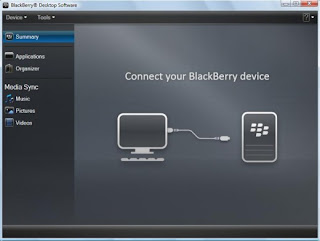
As the generation of cell phones and the technology behind them evolve into something new and different, it makes the need for millions of users who depend on these phones. Users are now faced with mobile phones that are so powerful and intelligent, allowing them to get everything they would normally be done with computers by simply using their phone. One of the most powerful lines of these phones are known as the BlackBerry. Blackberry Desktop Manager is a good apps that connecting your pc and your blackberry.

These BlackBerry smartphones equipped with the latest processor and plenty of space inside them, so that users can fell good to have a powerful and portable machine that can handle all their needs on the go. Here the need to surf the Internet to send and receive e-mails, files and other content, download music, videos, presentations, applications, install the add-ons and more. There is so much that you can get the Blackberry to do that sometimes, these replace the full use of the Laptop, when there is a need.BlackBerry Desktop Manager is compatible with Microsoft Outlook, Windows Mail, Lotus Notes, and Yahoo

Most of the same features are available for Mac. It was updated Desktop Manager is great, and came with the latest updates at the right time to help make all this easier. This software is compatible with almost all BlackBerry smartphones, both mature and emerging markets such as the Blackberry Pearl 9100 and BlackBerry 8700th of beautiful Learn to use the functions are very simple and requires no technical knowledge whatsoever. If it is the time it takes to go from a BlackBerry smartphone to another, you can easily use the Switch Device Wizard to migrate quickly from a BlackBerry smartphone to another.

You can find the latest updates and some quick instructions for downloading and installing BlackBerry Desktop Manager, and download links as well. Downloads Blackberry Desktop Manager for Windows here and for Mac OS here